Connect your AI to vaulink
vaulink has a connector for your own AI. Claude is the example here, but any AI client that supports remote MCP servers can use it. The AI reads your accounts and balances and can propose changes. Nothing that moves money is applied until you confirm it in the app.
Updated: 14 November 2026
Server address
https://api.vaulink.com/mcpSign-in: OAuth 2.0 with PKCE and dynamic client registration. The same address is shown in the app.
Connect Claude
4 steps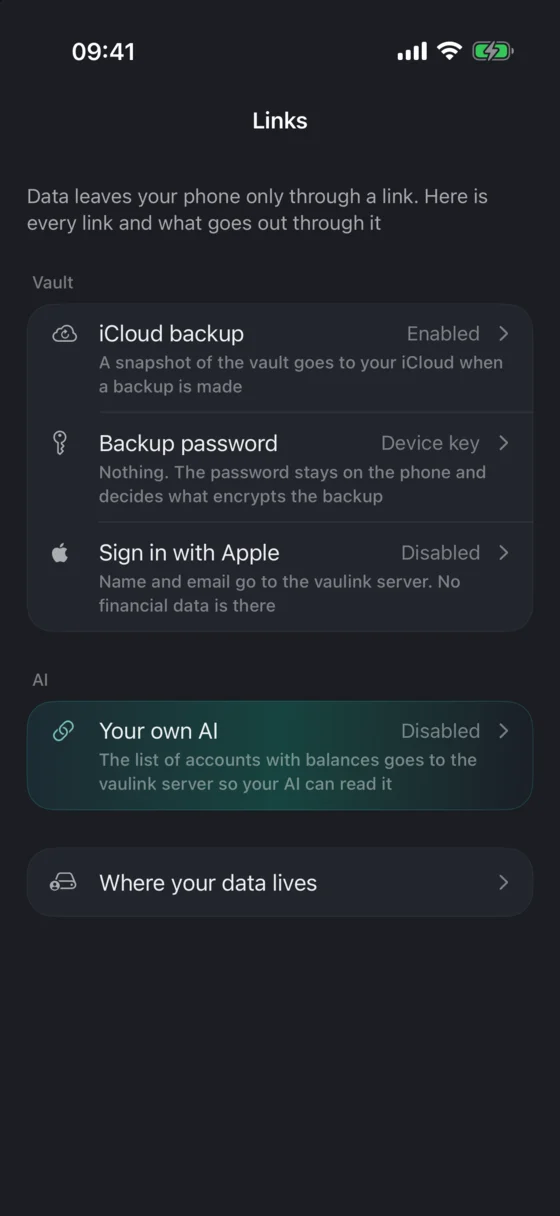
Open the screen
In vaulink on your iPhone open Profile → Links → Your own AI. The screen shows the connector address and a button to get a confirmation code.
Add custom connector
NamevaulinkURLhttps://api.vaulink.com/mcpAddAdd the connector
In Claude open Settings → Connectors → Add custom connector. Name it vaulink and paste the address above.
- ‹Your own AIGet code7K3M9RXDValid for 10 minutes
Enter the code
Claude opens a vaulink page that asks for a code. Tap "Get code" in the app, enter the code on that page, and press "Allow access". The code is valid for ten minutes.
 Ask about your accounts
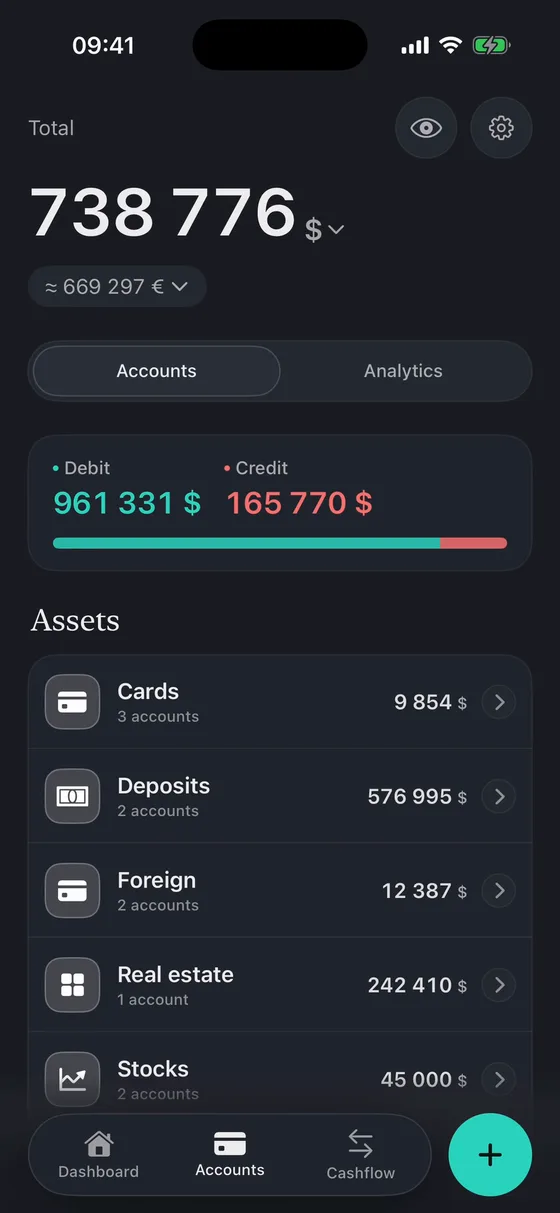
Ask Claude about your accounts. The first answer appears after the app has uploaded your accounts: open vaulink once while signed in, or tap "Refresh data now" on that screen.
Requirements
An iPhone with the vaulink app, signed in. In guest mode nothing is sent.
An active vaulink PRO subscription. Without it the server answers 403 "PRO subscription required".
An AI client that supports custom remote MCP connectors.
Some changes need a recent app (2.3 build 41 or newer). With an older app the server refuses them and says why.
Tools
29Read tools only return data. Every write tool puts a request in a queue. The app picks the queue up the next time you open it. Your client lists the tools that are switched on for your account; a few are enabled gradually.
Read
list_accountsreadAccounts with balances, groups, credit-card limits, and how old each balance is.
list_categoriesreadExpense and income categories.
get_accountreadOne account in full: deposit, card, loan or debt terms. Off by default (see Privacy).
get_balance_historyreadRecorded balances of accounts over time. Off by default (see Privacy).
get_net_worth_historyreadTotal of all accounts in one currency over time. Off by default (see Privacy).
list_exchange_ratesreadCurrent exchange rates, the same feed the app uses.
get_command_statusreadStatus of changes queued earlier: pending, applied, awaiting confirmation, rejected, failed or expired.
Write
Write, always confirmed on the phone
set_account_balancewriteSet a balance, optionally as of a past date. The owner sees "was → will be".
archive_accountwriteMove an account to the archive. Accounts cannot be deleted through the connector.
record_transactionwriteOne expense or income.
record_transferwriteTransfer between two own accounts in the same currency.
record_transactionswriteUp to 120 operations and transfers in one batch, confirmed as a batch.
set_cashbackwriteCashback categories and percents of one card for one month.
deposit_top_upwriteMove money from another account into a deposit.
deposit_accrue_interestwriteRecord interest the bank paid on a deposit.
deposit_closewriteClose a deposit and pay the whole balance out to another account.
deposit_rolloverwriteRenew a deposit that ended on new rate and term.
market_buywriteA purchase on an investment account, with optional broker commission. See Known limits.
market_sellwriteA sale on an investment account, with optional broker commission.
market_set_positionwriteRestate a whole stock position to match the broker.
set_credit_limitwriteSet a card’s credit limit.
loan_paymentwriteThe next scheduled loan installment was paid.
loan_extra_paymentwriteAn early or partial loan payment.
Write, confirmed by default
create_accountwriteNew account: cash, card, deposit, other asset, investment, loan or credit card. Credit cards and loans are always confirmed.
update_accountwriteRename an account, change its note, switch between cash and card.
restore_accountwriteBring an archived account back.
move_account_to_groupwritePut an account into a group; a missing group is created.
create_categorywriteNew expense or income category, up to 10 a day.
Import
import_statementreadParses a bank statement file (Alfa-Bank .xlsx or credit card .pdf, T-Bank .pdf) and returns its operations. Records nothing.
Confirmation on the phone
Changes that move money or cannot be undone (balances, deposits, trades, credit limits, loan payments, archiving, operations, cashback) always open a confirmation sheet in the app. This cannot be switched off.
Other changes (rename, group, restore, new account or category) are also confirmed by default. In the app you can allow some of these to apply without a sheet.
A rejected request is not applied. Ask the AI for the status with get_command_status.
Privacy
The AI sees
- Account names
- Types
- Currencies
- Balances
- Groups
- Credit card limits
- Category names
Closed until you switch it on
- Account detailsOff by default
- Balance historyOff by default
Never leaves your phone
Transactions
The phone uploads only account names, types, currencies and balances, groups, the credit limit of credit cards, and category names. Transactions are never sent.
Extra data is closed by default: account details (deposit, card, loan terms) and balance history are separate switches, and the AI sees them only when they are on and shared.
The AI you connect receives what it reads. That data goes to that AI’s developer and falls under its rules.
A statement file sent to import_statement is processed in memory and not stored.
To disconnect, open Profile → Links → Your own AI → Close the link. This revokes all access and keys and erases the copy of your accounts on the vaulink server. Removing the connector in Claude alone does not tell vaulink, so use the app. You can also revoke a single key on the same screen.
Known limits
Changes are not instant. They apply when you open vaulink on the phone. A queued change expires after 7 days, and recorded operations after 24 hours.
market_buy and market_sell change the position on the investment account but do not take money from or add money to another account. Only the optional broker commission is charged to the account you name. To reflect the cash, change that account’s balance separately with set_account_balance, which needs its own confirmation.
A request already in the queue cannot be withdrawn through the connector. Decline it on the phone.
Balances are the ones the phone last uploaded. The AI sees when they were updated and is told that a balance older than 7 days may be out of date.
Limits: 50 waiting changes per user, 200 requests per 10 minutes, 5 statement imports per minute (file up to about 650 KB).
Support
Write to support@vaulink.com. Please include what you asked the AI and what it answered.